




 APPLICATION GUIDE
Removing or Attenuating Reverberation with CEDAR VoicEX 2™
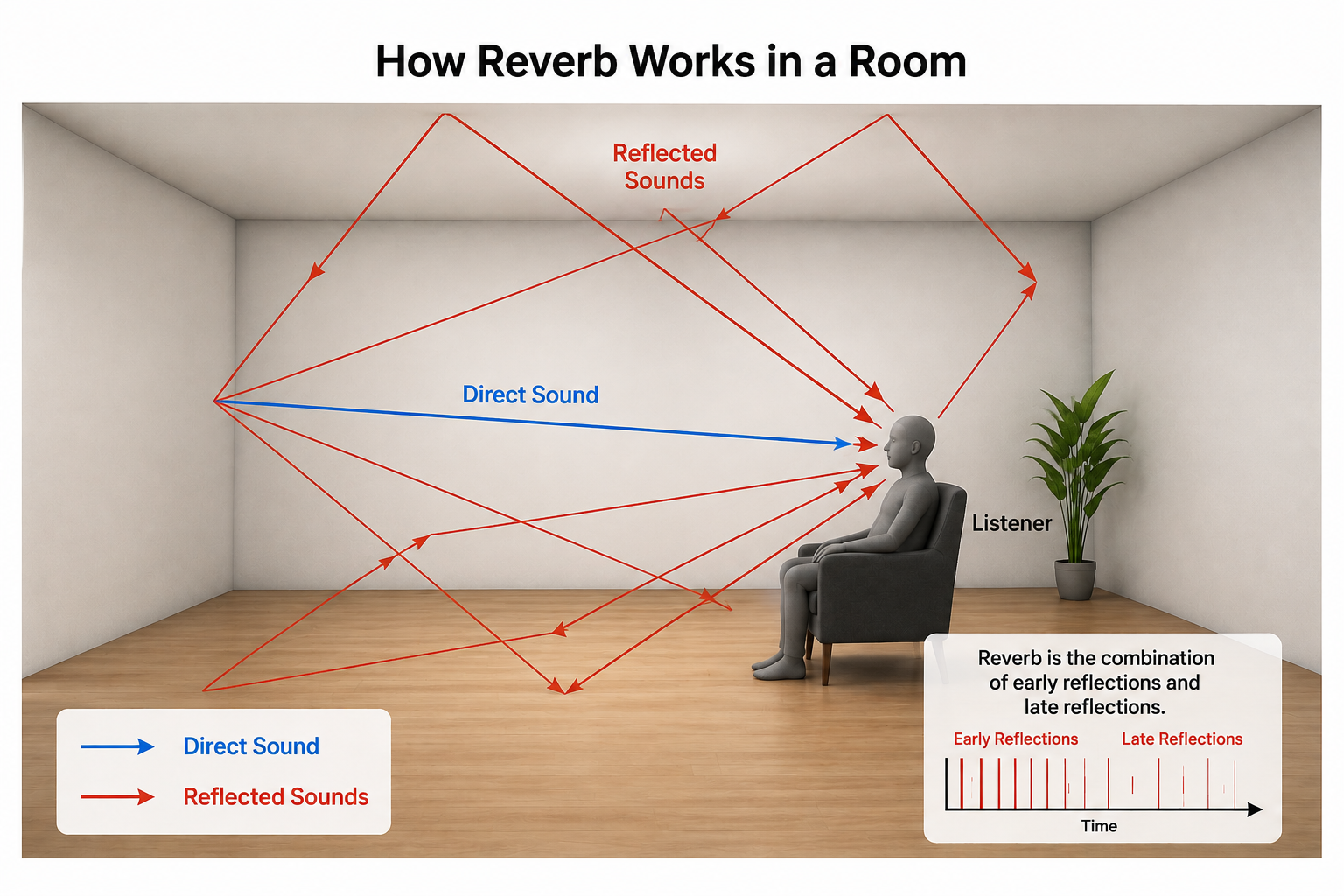
Unwanted reverberation, room echo, hall resonance, or distant-sounding speech, can turn an otherwise clear recording into a muddy, unintelligible mess. This article explains how reverb reduction can be achieved using CEDAR VoicEX 2.
Introduction
Unwanted reverberation, room echo, hall resonance, or distant-sounding speech, can turn an otherwise clear recording into a muddy, unintelligible mess. Traditional de-reverb tools often introduce artifacts, colour the voice, or require you to wrestle with a dozen confusing parameters.
CEDAR VoicEX 2 solves this using an advanced neural network that separates human speech from everything else, including reverb, with just two simple controls. This article explains how it works and exactly how to use it to clean up your audio.
How VoicEX 2 Tackles Reverberation
VoicEX 2 doesn't "filter" reverb the way older tools do. Instead, its neural network analyses the audio and creates two independent streams: one containing what it identifies as human voice, and the other containing all other sound including background noise, room tone, and reverberation. Because reverb is treated as part of the "non-voice" stream, reducing that stream automatically pulls the voice out of the echo without altering its natural timbre or clarity.
The Controls: Simplicity is Powerful
VoicEX 2 presents just two knobs, each ranging from −50 dB to +20 dB:
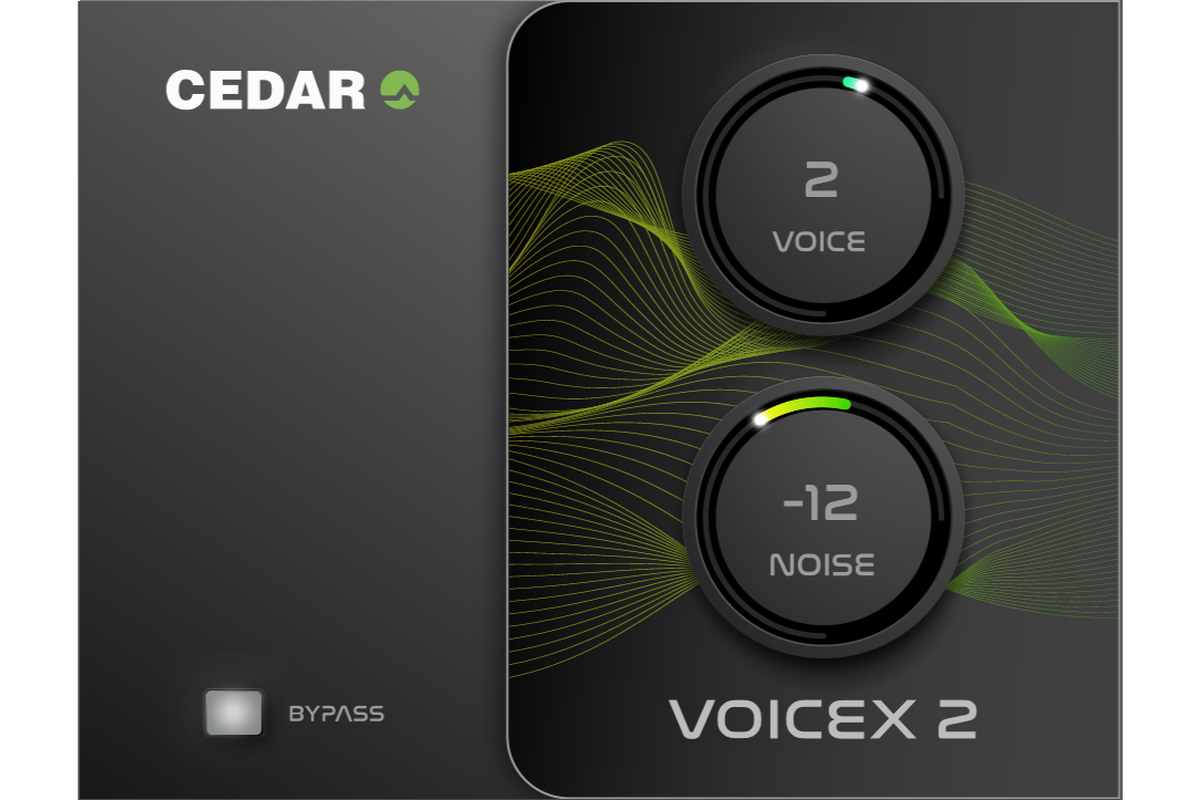
The Voice Control
Adjusts the level of isolated speech/vocals. Leave at 0 to preserve natural level; reduce to remove voices; increase to emphasise them.
The Noise Control
Adjusts the level of everything else—background noise, hum, air conditioning, and reverberation. Lower this to strip away reverb and reveal dry, clear speech.
That’s it. No reverb-time sliders, no frequency-crossover settings, no complex threshold or attack-release controls.
Step-by-Step: Attenuating or Removing Reverberation
Basic Workflow
- Insert VoicEX 2 on your vocal or dialogue track in your DAW.
- Set Voice to 0 dB (unity gain). This leaves your speech untouched.
- Gradually reduce the Noise knob — start around −15 dB to −25 dB and listen. As you turn it down, the echo and room sound will fade away, leaving the voice dry and forward.
- Stop when the reverb is acceptable but the voice still sounds natural. Typically, −15 dB to −35 dB handles most office, hall, or church recordings.
- Avoid over-processing: pushing Noise below about −40 dB on some recordings may sound slightly "dry" or unnaturally dead. A little residual warmth is often better than zero reverb.
Targeted Adjustments by Material
- Subtle room tone / mild reverb. −10 to −18 dB. Cleans up without sounding processed
- Office / meeting room. −20 to −30 dB. Excellent for video conferencing & livestreams
- Hall, large room, distant mic −28 to −40 dB. Tames strong echo; check that sibilance remains natural.
- Very poor, boomy, distant speech. −35 to −45 dB. Use cautiously; may need to back off slightly for naturalness.
Pro Tips
- Always listen in context — check the result against the full mix or video. Reverb that sounds "too much" in solo may be fine in context.
- Compare before/after — bypass the plugin occasionally to judge how much you’re changing the character.
- Voice at +3 to +6 dB can help push clarity forward after you’ve tamed reverb, but use sparingly — it’s an accent, not a boost.
- Multiple instances: on dialogue with multiple mics, apply consistent Noise settings across tracks so the room tone matches.
Common Pitfalls & How to Avoid Them
- ❌ Cranking Noise to −50 dB instantly — strips all natural ambience and can make speech sound disconnected or artificial. Dial it down gradually.
- ❌ Adjusting Voice and Noise at the same time — keep Voice at 0 while setting Noise, then tweak Voice only if you need emphasis.
Typical Applications
- Post-production & documentary — matches dialogue recorded in different spaces
- Audio restoration & archive — rescues recordings made in large, reverberant halls
Summary
Reverberation is treated by VoicEX 2 as part of the non-voice signal, so reducing the Noise knob is your primary de-reverb control. Keep Voice at 0 dB, dial Noise down until the echo recedes, and stop before the voice loses its natural character. If you need extra presence, nudge Voice upward only after you’ve set the Noise level. The beauty of VoicEX 2 is that the AI handles the hard work—you just need good ears and two knobs.
Rule of thumb: Start at −20 dB, adjust by ear, and remember: transparent clarity beats maximum suppression every time.
Head of Sales
CEDAR Audio Ltd
24 Aug 2026